







A bionic hand can feel like a big leap, and that’s exactly why we don’t want to wing it. Most disappointment comes from choosing on features alone, then realizing the everyday stuff, comfort, training, and routines didn’t get enough attention.
So we’re going to do this the smarter way. This guide covers what to know before getting a bionic hand, in plain language, with a bionic hand checklist mindset.
1) What a “bionic hand” is
A “bionic hand” usually means an electronically controlled upper-limb prosthesis, often a myoelectric prosthesis. Myoelectric prostheses use advanced technology to detect electrical signals from your muscles, allowing for more natural and precise control of the prosthetic device.
This technology enables features like multi-grip hands and improved movement, making modern prosthetics more functional and comfortable than ever before.
It’s also not one single thing. It’s a system made up of your prosthetic socket fit, a suspension system prosthesis setup that keeps it secure, electrodes or EMG sensors, the powered components, the terminal device (the end-effector, such as a hook, prehensor, or artificial hand), and the battery.
The prosthetic device as a whole relies on these components working together for optimal performance.
Modern prosthetics use advanced technology to improve both function and appearance, with ongoing developments in materials, control systems, and even AI integration.
The type of prosthetic device needed depends on the amputation level (for example, below-elbow or above-elbow) and limb differences, which influence the design and function of upper limb prostheses.
This matters because the best “device” can still feel wrong if the system is wrong. When we treat the whole setup as one package, our odds of comfort and control go way up.
A quick expectation check
A bionic hand by Aether Biomedical can help with many daily tasks, but we must understand that no bionic hand can replace the natural hand/be the same as a natural hand. It won’t restore sensation in a typical setup, and it won’t feel effortless on day one.
When we set realistic goals, we get better outcomes and fewer “why didn’t anyone tell me” moments.
2) Start with your goals (because the “best device” depends on your life)
The best upper limb prosthesis options are the ones that match your real routine. Not an idealized version of your life, not what looks good in a brochure, your Tuesday.
Your muscle control ability and overall functional capacity play a key role in determining which prosthesis will work best for you, as some devices, like myoelectric hands, require specific muscle signal control for optimal use.
Goals shape priorities. If we need long wear time, comfort, and prosthetic hand weight are also factors just as important as the feature list.
If we need variety, then control style, grip patterns, and grip switching start climbing the chart. This is why two people can choose totally different devices, and both be right.
Here’s a simple “top 5 tasks” exercise to do before your appointment:
- Write down the 5 everyday tasks you most want help with (morning routine, work tasks, cooking, driving, parenting, hobbies, all fair game). Bionic hands are designed to help users perform these common daily activities more easily.
- For each task, note the object size and weight, plus where it happens (home, office, outdoors).
- Mark, which tasks need two hands, and which are mostly “stabilize and assist.”
- Circle any task that involves sweat, dust, heat, or splashes, because environmental limits matter.
- Rank them 1 to 5, because priorities beat wishlists every time.
Bionic hands can restore independence, improve daily function, and may even reduce phantom pain. There are also activity-specific prosthetic hands designed for specialized jobs, sports, or hobbies, allowing users to perform particular tasks that matter most to them.
Bring this list to your clinician. It turns a vague conversation into a clear plan, and it helps your team recommend a setup you’ll actually use.
3) Who helps you get a bionic hand (and what the process looks like)
Getting a bionic hand is a team sport. Your prosthetist or clinician builds and fits the device, an occupational therapist supports training, and your physician or surgeon helps oversee the medical side. A skilled prosthetist is key to proper fit, customization, and ongoing support.
The typical flow looks like assessment, measurements, socket design, trial and fitting, programming, training, and follow-ups. The process of obtaining a prosthetic hand requires collaboration between the user and prosthetist to ensure the prosthetic device is tailored to the user's specific needs. Follow-ups are expected because bodies change, sockets settle, and control improves as you practice.
We also want to remember something comforting. It’s normal to tweak, adjust, and reprogram, especially in the first stretch.
The clinician fitting process, in real life
At first, a lot of time goes into the socket. A custom socket is created by taking a cast or digital scan of your residual limb to ensure optimal fit and comfort. Then the focus shifts to control, comfort under movement, and dialing in how the device responds.
The goal is not “perfect on day one.” The goal is “stable enough to train well,” because training is where the device starts feeling like yours.
4) Your residual limb and comfort, why socket fit matters most
If the socket hurts, nothing else matters. Control suffers, wear time drops, and skin issues can turn into the main project of your day.
A good prosthetic socket fit supports comfort and consistent muscle signals. If the socket shifts, pinches, or rotates, even great EMG sensors can’t read reliable signals.
We want a fit that’s secure without feeling like it’s trying to win an arm-wrestling match. Comfort should improve as you wear it, not get worse.
Signs we should not ignore
Watch for sharp pressure, tingling, slipping, excessive sweating in one spot, or redness that lasts. Mild marks can be normal, but lasting irritation is a message, not a badge of toughness.
Ask your clinician what “normal” looks like for your situation. Also, ask what to do after hours or on weekends if discomfort suddenly shows up.
5) Types of upper-limb prostheses
When considering what to know before getting a bionic hand, it's important to understand that there are different types of upper limb prostheses, including passive hand prostheses, body-powered prostheses, myoelectric prosthetic, and hybrid systems.
Each type offers unique features and is suited to different user needs, limb conditions, and desired functionalities.
A passive hand prosthesis can help with appearance, light support, and stabilization. Passive hand prostheses do not function like a human hand but can look like one and are often used for cosmetic purposes. They are a great choice when simplicity and low maintenance are priorities, but they won’t provide powered grasping.
A body-powered prosthesis is often durable and predictable. These devices operate using a pulley system connected to muscles elsewhere on the body, allowing the user to control the device through movement and requiring physical effort.
Many people like the direct feel and fewer charging worries, but there can be comfort tradeoffs depending on the harness and the movements required.
A myoelectric prosthetic, also known as a “bionic” setup, is a type of powered prosthesis designed for powered grasping and configurable control. Powered prostheses use electromyographic (EMG) signals to interpret user intent, offering enhanced functionality and dexterity compared to non-powered options.
The tradeoffs are usually weight, charging routines, and the need for training, but the benefit is a powered function for a wide range of tasks.
Hybrid prosthetic hands combine myoelectric functions with body-powered ones, allowing for both fine grip control and quicker action, giving users the advantages of both systems.
Body-powered vs myoelectric prosthesis, the honest framing
Body-powered can be a workhorse. These prostheses operate using a pulley system connected to muscles elsewhere on the body, allowing the user to control the device through movement.
Using a body-powered prosthesis requires physical effort to operate the cable and harness system, which can sometimes lead to strain or discomfort during prolonged use. However, they provide sensory feedback through the harness, enabling the user to feel when the device is functioning without needing to look.
Myoelectric can offer more powered grasp options.
Neither is “better” in a vacuum. The best choice is the one you’ll wear consistently and use confidently.
6) How myoelectric control works
A myoelectric hand uses sensors to detect muscle signals. These sensors pick up myoelectric signals, which are electrical impulses generated by muscle contractions.
The prosthesis interprets these electrical signals and turns them into movement, such as opening and closing, or switching to a different grip. Myoelectric devices, including the prosthetic hand, rely on these electrical signals to provide precise and natural movement based on user intent.
Some setups use simple open and close commands. Others may offer proportional control, where stronger myoelectric signals can change speed or force, and some clinics offer pattern recognition control depending on the system and fitting.
Myoelectric prostheses provide a more natural control experience compared to body-powered options and can be designed to mimic human anatomy and motion, offering a natural appearance. The myoelectric control strategy has been developed and analyzed since the 1940s.
Training is what makes control feel dependable. We’re teaching your body to send repeatable signals, and teaching the device to respond in a way that feels predictable.
Why myoelectric control training matters
Early on, small changes can throw control off, sweat, posture, fatigue, and socket movement. Training helps you recognize what’s happening and correct it instead of feeling stuck.
Occupational training is an essential part of the rehabilitation process, helping you develop the ability to control the prosthesis through muscle signals and adapt to daily tasks.
This is also where occupational therapy prosthetics support shines. It turns “I can open and close” into “I can do useful things without thinking so hard.” Myoelectric prostheses require regular maintenance and ongoing training to improve usability and ensure you get the most out of your device.
7) Function details that actually change day-to-day use
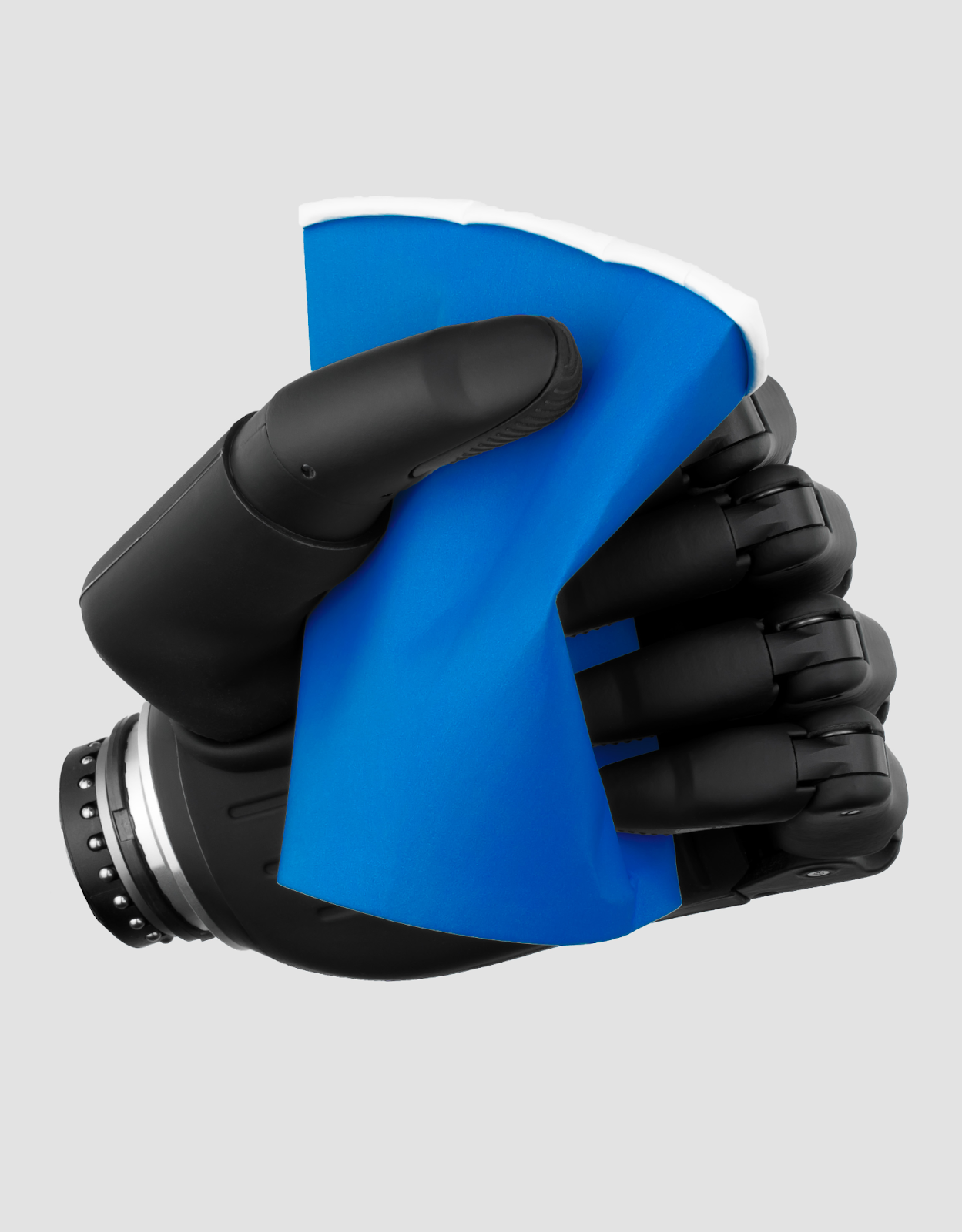
Specs on paper are nice, but daily use is where we decide if something is a win. Advanced technology in bionic hands aims to provide natural movement and natural control, closely mimicking the user's intentions for more lifelike, seamless motion.
Some advanced bionic hands also incorporate haptic feedback, allowing users to feel pressure or texture. However, technical limitations such as battery life, maintenance challenges, and potential signal lag should be considered.
Modern bionic designs may include modular components that can be upgraded as technology evolves. The best setup is often the one that feels easy to live with, even on a tired day.
We want to evaluate the function through your top tasks. That keeps decisions grounded and prevents feature overload.
Grip options and grip switching
Advanced prosthetic hands, such as myoelectric hands, can offer multiple grip patterns, allowing users to perform a variety of functional tasks with natural and precise movements. Myoelectric prostheses can feature multiple grip options and advanced functionalities like thumb orientation, enhancing their versatility and usability.
More grip patterns can help, but only if they’re easy to access. If switching grips takes too long or feels fiddly, we’ll stop using them, and the “feature” becomes clutter.
A great question to ask is, “How many grips will I realistically use every week?” If the answer is three, we should build the setup around those three and make them quick to reach.
Speed, strength, and precision
Speed matters for tasks like picking up a phone or catching something before it falls. Strength matters for carrying items, and precision matters for things like keys, buttons, and small objects.
Weight bearing is also important; prosthetic hands, especially myoelectric ones, are designed to support loads during daily activities. Myoelectric prosthetic hands can feature individually powered fingers with movable joints, allowing for more natural movement and grip. These devices can be designed to carry heavy loads up to a set limit, but it's important to know the specific load capacity and grip strength of your device.
We should match these to your top tasks, then ask about safe limits. “How much can I safely lift?” and “What should I avoid?” are practical questions, not annoying ones.
Weight and balance
Prosthetic hand weight affects fatigue, especially over long wear. Balance matters too, because something that pulls forward can feel heavier than its number on a spec sheet.
If possible, try a test wear session with real movement. Even a short walk around the clinic can reveal pressure points and balance issues early.
Noise, heat, and feel
Motors can make sound, and that sound might be noticeable in quiet places. Some setups can feel warmer during heavy use or in hot environments.
These are not deal-breakers for most people, but they do affect satisfaction. It’s better to know what to expect than to be surprised later.
8) Battery, charging, and routines (what to plan for)
A bionic hand is a powered tool, so we need a routine that supports reliability. That means understanding battery life, myoelectric prosthesis expectations for your setup, and building a consistent charging habit.
A simple plan is to charge at the same time every day and keep an eye on battery status. The goal is to make charging as automatic as brushing your teeth, not a daily guessing game.
We also want a backup plan. Even the best routine has an occasional “charger forgotten” moment, and future you will be grateful if current you plans for it.
Travel tips that save headaches
Pack your charger, consider plug adapters, and protect electronics during transport. If you’re traveling for work or long days out, ask your clinician what a realistic “away from home” plan looks like.
A bionic hand is meant to support your life, not make you feel like a part-time battery manager. A good routine keeps it simple.
9) Safety and environment limits
Here’s the blunt truth. A lot of damage happens when we assume a device can handle water, dust, impacts, or heavy loads without checking.
Water exposure is the classic mistake. Many devices are not designed to get wet, so we should confirm the exact limits for your specific system and follow the manufacturer's guidance.
Impacts and heavy loads matter too. Ask what the device is rated for, what “too much” looks like, and what environments to avoid.
Heat, dust, and rough work
Heat can affect comfort, sweating, and signal reliability. Dust and fine particles can also be risky for electronics, depending on the device.
If your work environment is rough, bring photos or describe it clearly. Your team can help plan protection strategies or recommend a more suitable setup.
10) Training and therapy, what “getting good at it” really means
Buying the device is not the finish line; it’s the starting line. Occupational training is a key part of the rehabilitation process, and occupational therapy prosthetics training helps with control, grip switching, and real tasks like cooking, carrying, opening containers, and using tools safely.
Strengthening muscles and refining coordination are essential for successful prosthetic use.
Home practice is where progress accelerates. Short daily routines beat one marathon session a week, because repetition builds consistency.
Mastery of a bionic limb typically requires 3 to 6 months of occupational therapy for basic proficiency and up to a year for advanced multitasking. Timelines vary, so we avoid promises. What we can aim for is steady, practical improvement, week by week, tied to the tasks you care about.
Functional tasks training that actually sticks
The best training looks like real life. We practice with the objects you actually use, at the height you actually work, with the distractions you actually deal with.
If therapy feels too “clinic perfect,” ask to shift toward your real tasks. The goal is confidence outside the clinic walls.
11) Maintenance, repairs, and support
Maintenance is not glamorous, but it’s a big part of long-term success. Daily care often includes basic cleaning, safe storage, and paying attention to early warning signs like unusual sounds or inconsistent control.
Ask what cleaning method is recommended for your device, and what to avoid. “Can I use wipes?” and “What should never touch the electronics?” are exactly the kind of questions that prevent expensive mistakes.
Repairs and downtime are also part of the plan. Ask how servicing works, what’s handled locally, and what the typical turnaround time looks like.
Repairs and downtime, planning like a pro
Even reliable devices sometimes need service. The difference between a smooth experience and a stressful one is having a plan.
Ask whether loaners are available, how warranty coverage works, and who to contact when something feels off. This is the boring stuff that keeps your life moving.
12) Costs, funding, and access
Costs vary by country and fitting solution, and pricing often includes the socket and other components. Financial barriers are a significant challenge for many users wishing to acquire bionic hands.
Bionic hands are expensive, with high prices often presenting a barrier; average costs range from $50,000 to $100,000. The cost of a myoelectric prosthesis can range from $20,000 to $100,000, depending on materials and technology.
That’s why we should ask for a written plan that clearly lists what’s included, what follow-ups are covered, and what support is provided.
When we’re exploring funding, start with your clinician. They usually know which documentation is needed and what coverage pathways exist, including insurance coverage for prosthetic hand solutions where available.
Insurance coverage for prosthetic hands varies, with many policies only covering basic models and not upgrades or replacements. Financial assistance programs, such as grants and nonprofit organizations like the Limbs for Life Foundation and the Amputee Coalition, can also help with funding.
We also want to think beyond day one. A realistic plan considers training, maintenance, and the occasional repair, because access is about long-term use, not just the initial fitting.
13) The “bring this to your appointment” question list
Bring these questions into your clinician-fitting process discussion. If you feel awkward asking, remember this: you’re not being difficult, you’re being prepared.
- What tasks should I realistically expect in 3 months vs 12 months?
- What’s the plan for socket adjustments as my limb changes?
- What are the environmental limits (water, dust, impact, heat)?
- What training support will I get (OT, home plan, follow-ups)?
- How do repairs work locally, and what’s the typical downtime?
- What is included in the fitting solution (components, socket, follow-ups, training)?
These questions protect you from surprises. They also help your clinician recommend a device that fits your life, rather than one that looks good on paper.
FAQs
What should I do before getting a bionic hand?
Start with the top 5 tasks and bring it to your appointment. Ask how your team would configure the system around those tasks, including socket fit, control style, and grip access.
Also, ask what training and follow-up schedule is included. Most success comes from a good plan, not a lucky guess.
What’s the difference between a prosthetic hand and a bionic hand?
“Prosthetic hand” is the broad category. A “bionic hand” usually refers to a powered, electronically controlled system, often a myoelectric prosthesis.
Passive and body-powered devices are also considered prosthetic hands; they simply employ different control methods. The best option depends on goals, comfort, environment, and how much routine you want to manage.
How long does it take to learn a myoelectric bionic hand?
There’s no single timeline because signal quality, socket fit, therapy support, and daily practice all matter. Many people improve steadily when training focuses on real tasks and practice is consistent.
A good approach is to aim for small, practical wins, then build from there. Consistency beats intensity.
What questions should I ask my prosthetist before choosing a bionic hand?
Ask about expected tasks, the plan for socket adjustments, environment limits, training support, repair logistics, and what is included in the fitting solution. These questions keep the process clear and prevent mismatched expectations.
If the answers are vague, ask for specifics in writing. Clarity is part of good care.
How do I know if my socket fit is right?
It should feel secure without sharp pressure or lingering pain. It should not slip during movement, and it should support consistent control without constant re-seating.
If redness lasts or discomfort grows over time, that’s a signal to call your clinician. Small adjustments early can prevent bigger problems later.
Can bionic hands get wet?
Many cannot, and even “a little water” can be too much for some systems. Always confirm the exact water and moisture guidance for your specific device and follow the manufacturer's instructions.
If water exposure is part of your life, bring that up early. It can change what device or protective strategy makes sense.
What maintenance does a bionic hand need?
Maintenance varies by device, but usually includes regular cleaning, safe storage habits, and routine check-ins with your clinician. It also includes noticing early warning signs like odd sounds, loose parts, or inconsistent control.
Follow the manufacturer's guidance for cleaning products and methods. When in doubt, ask before experimenting.
How do batteries and charging work for myoelectric hands?
Most myoelectric systems require a consistent charging routine and basic battery monitoring. A simple daily charging habit prevents the “dead battery surprise” that can derail your day.
Ask your clinician what a realistic day looks like for your setup, including how to plan for long days away from home.
What happens if the bionic hand breaks? How do repairs work?
Repairs depend on the manufacturer and your local service setup, so ask about downtime and whether there’s a loaner option. Ask what’s covered under warranty, what is considered misuse, and who you contact first if something feels off.
Planning for repairs sounds pessimistic, but it’s actually empowering. It means you stay in control, even when the device needs service.
Conclusion
Choosing a bionic hand goes best when we treat it like a system, not a single purchase. If we lead with goals, prioritize socket comfort, and commit to training, the device becomes far more useful and far less frustrating.
The most practical next step is simple. Bring your top 5 tasks list and the appointment questions into your next visit, and ask your clinician to map a plan around them.
When we build in charging habits, maintenance basics, and clear repair support from the start, we get something priceless: a setup we can rely on in real life, not just in the clinic. And if you want to make this even easier, print this article, circle the tasks that matter most, and use it as your one-page “game plan” for the next appointment, because the best prosthetic decisions don’t come from guesswork; they come from clarity.

.jpg?width=352&name=unnamed%20(1).jpg)